
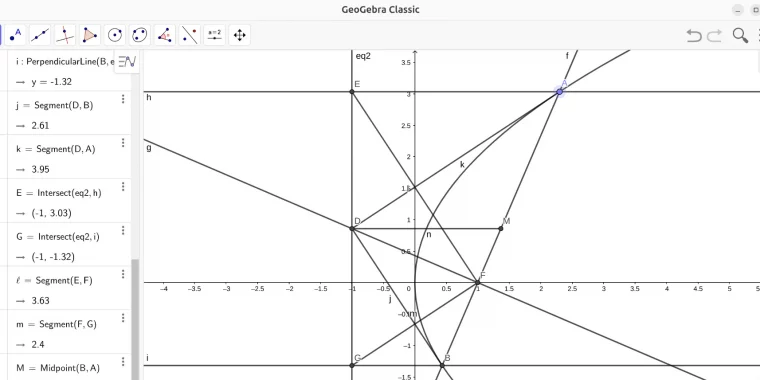
关于动态几何画板的介绍以及强大功能, 可以直接点击 GeoGebra 官网 geogebra.org 查看. 不知什么原因,GeoGebra官网上已移除 deb 下载链接,经过搜索,发现山大镜像中有一份 Geogebra classic 6 的下载链接.
https://mirrors.sdu.edu.cn/spark-store-repository/store/office/geogebra-classic
直接 dpkg 安装发现缺失几个依赖包:
gconf2-common_3.2.6-7ubuntu2_all.deb
libgconf-2-4_3.2.6-7ubuntu2_amd64.deb
libcanberra-gtk0_0.30-10ubuntu10_amd64.deb
libcanberra-gtk-module_0.30-10ubuntu10_amd64.deb
libdbus-glib-1-2
除了最后一个可以直接 apt 安装,前四个已经在 26.04 里被移除,只能通过
网站单独下载,再 dpkg 安装.
启动时有发现报错:
[17224:0430/182311.389815:FATAL:setuid_sandbox_host.cc(158)] The SUID sandbox helper binary was found, but is not configured correctly. Rather than run without sandboxing I'm aborting now. You need to make sure that /usr/share/geogebra-classic/chrome-sandbox is owned by root and has mode 4755. 因为这个 geogebra6 是用 electron 打包的,需要给 chrome-sandbox 权限. 使用以下命令:
sudo chown root /usr/share/geogebra-classic/chrome-sandbox
sudo chmod 4755 /usr/share/geogebra-classic/chrome-sandbox
或者
cd /usr/share/geogebra-classicsudo chown root chrome-sandbox
sudo chmod 4755 chrome-sandbox一样给予权限.
另外,直接 apt 也能安装,不过是比较旧的版本 geogebra_4.0.34.0. 亦或直接使用网页版:
https://www.geogebra.org/classic